Tiime for micro-entrepreneurs: free invoices, VAT settings and the annual billing trap

Tiime is a French app for invoices, quotes (devis) and e-invoicing. I signed up as micro-BNC (the micro regime for professional services) on the free plan and went as far as a draft invoice in English. I did not issue a real invoice, try the paid plans or set up any mandates.

This guide is for information only: it shows how the service works and does not replace advice from an accountant. The interface was checked on 13 October 2026, prices and contract on 6 November 2026.

Who it suits

  • A good fit if you need free invoices and devis, including in a foreign language.
  • A good fit if you are happy to file your URSSAF declaration yourself on autoentrepreneur.urssaf.fr. It is free and not difficult.
  • Not a fit if you want to file the URSSAF declaration from the app: when I checked, it was marked «Bientôt» (coming soon).
  • Probably not a fit if you need invoices in dollars: I found no multi-currency option on the free plan.
  • Be careful with paid plans: there is no monthly billing.

What it costs

Prices excluding VAT (TVA), from the pricing page on 6 November 2026. There was no promotion on.

FreeInitialSmartBusiness
Per month€0€9.99€17.99€24.99
Paid one year upfront—€119.88€215.88€299.88
Unlimited invoices and devis, e-invoicingyesyesyesyes
Bank syncnoTiime account onlyunlimitedunlimited
Tiime account with IBAN and cardnoyes, requiredyesyes
Expense tracking (notes de frais), document archivenonoyesyes
Payment links, devis e-signature, Make (automation service)nononoyes

The Tiime logo on the free plan cannot be removed; on paid plans you can hide it.

How billing works. Paid plans are free for 60 days, then the full 12 months are charged at once. I did not check how to cancel before those 60 days are up: ask in the chat before you subscribe. If you are under the franchise en base and do not charge VAT, you cannot reclaim the VAT on the subscription, so your real cost is 20% higher: €119.88 becomes €143.86.

Sign-up

1. Create an account
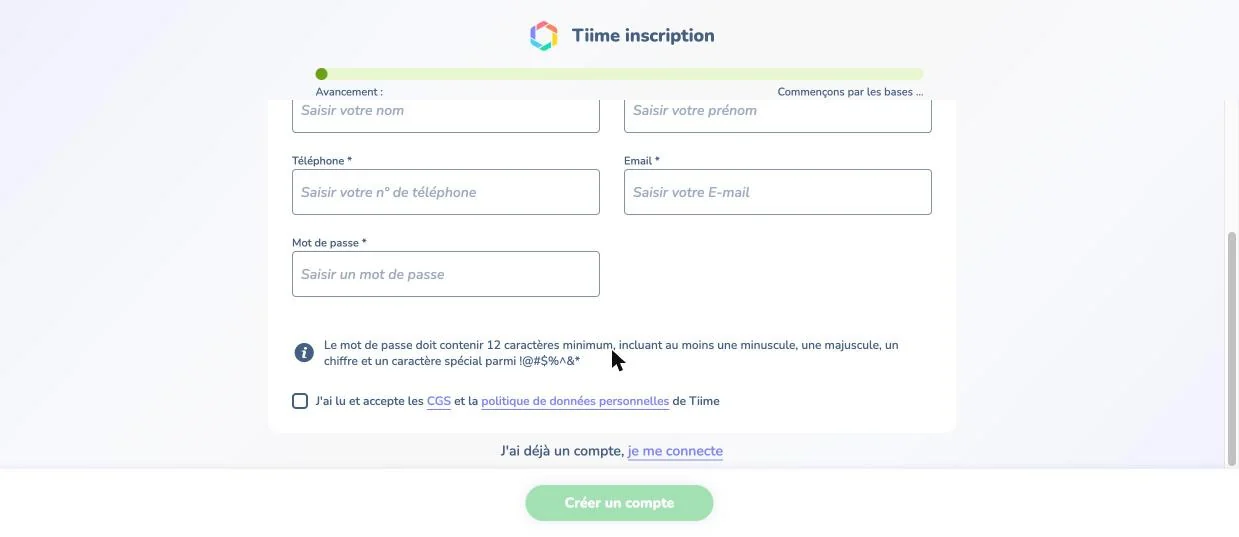
Sign-up form: required phone number, password rules, consent tick box

A phone number is required, and the password must be at least 12 characters with a capital letter, a number and a special character. Unlike Abby, Tiime has a tick box to accept the terms.

2. Find your business
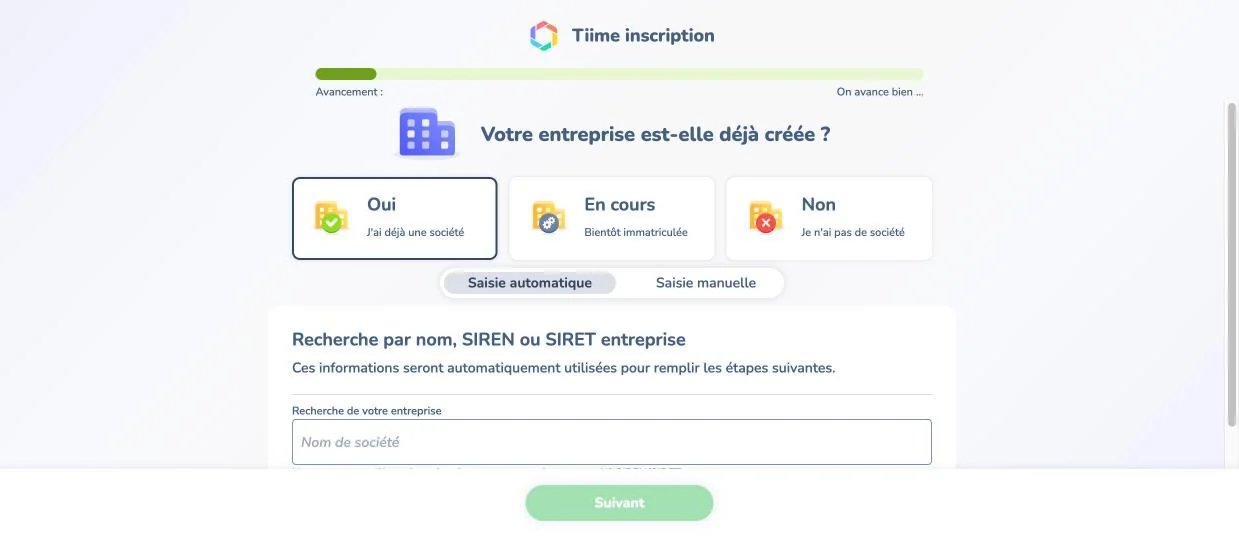
Question on whether the business exists, and search by SIREN

Answer «Oui» and search by name, SIREN or SIRET. My business came up straight away, but it appeared twice in the list. I picked one of the two and noticed no difference during sign-up.

3. Choose what you need the app for
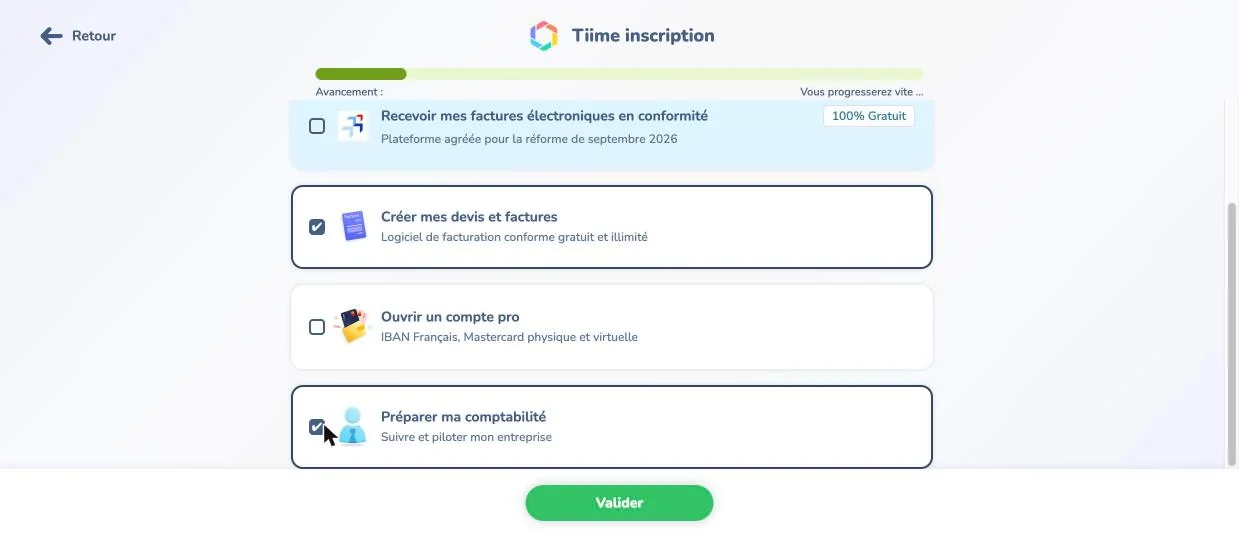
Invoices and accounting preparation selected

I ticked «Créer mes devis et factures» and «Préparer ma comptabilité». I did not tick the option for receiving e-invoices, because it is tied to choosing a platform: if you already have one, first find out which one is registered for your business. I did not check what ticking it triggers. What is required and by when is covered in our e-invoicing news piece.

You do not need a Compte pro (the Tiime business account) to issue invoices, and on the free plan you can skip opening one. But the Initial plan does not work without it.

4. Choose a plan
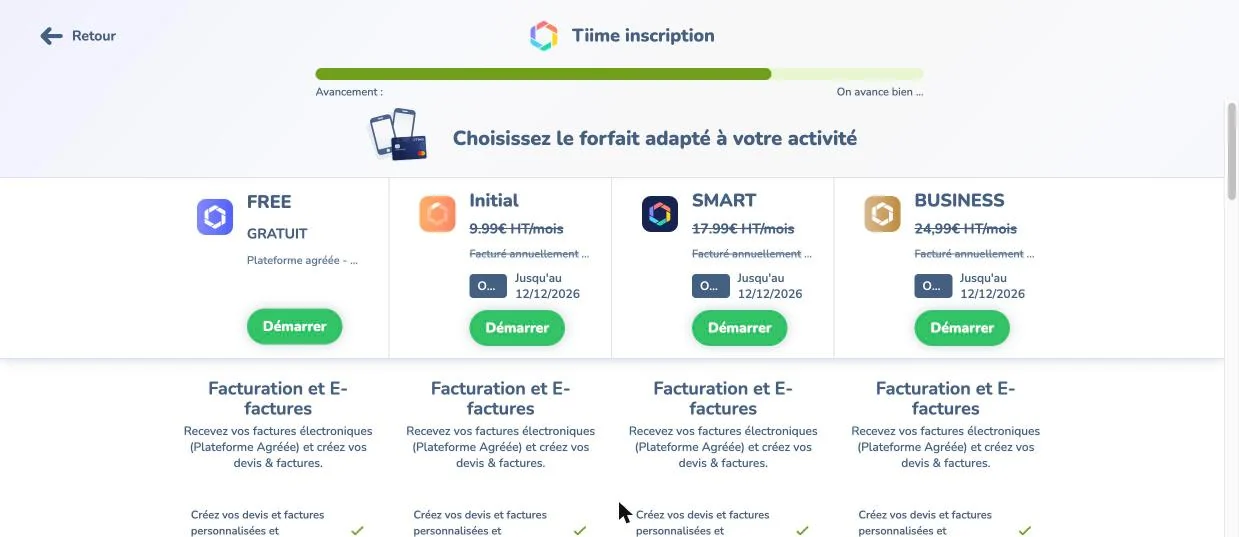
Four plans: FREE and three paid plans with a trial

Unlike Abby, you can pick FREE straight away: no paid trial is pushed on you. If you take a paid plan, write down the date the trial ends (for a sign-up on 13 October it was 12 December).

First invoice

There is no test mode, only drafts. The «Créer la facture» button creates a real invoice, so while you are still learning, save the document with «Enregistrer en brouillon».

5. Check numbering and language
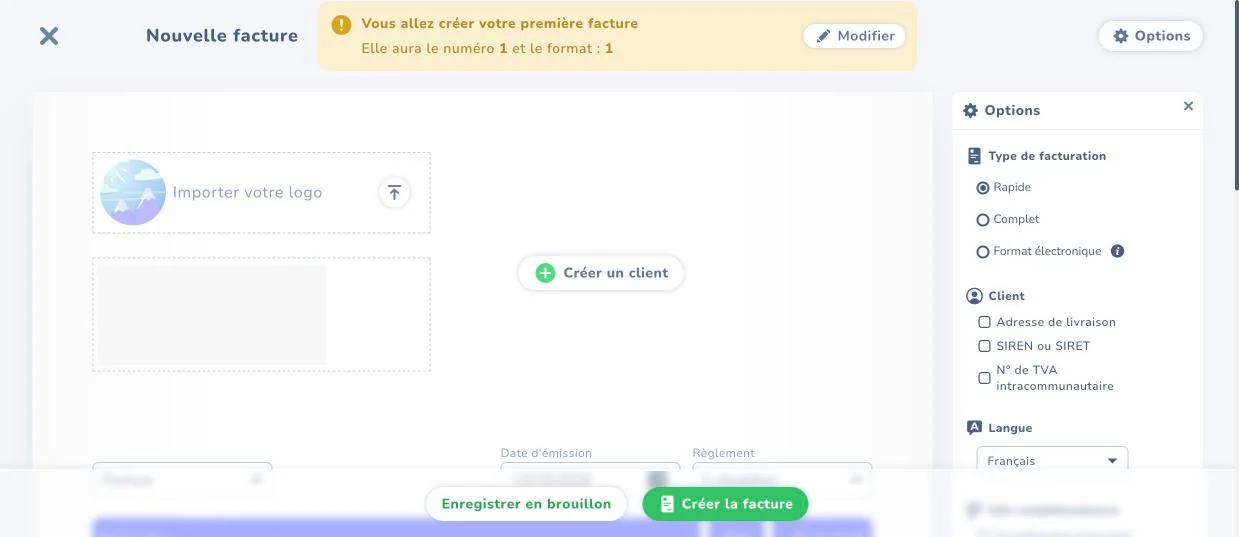
New invoice: number, options, document language

Tiime warns you that this will be invoice no. 1. If you have already issued invoices, click «Modifier» and carry on with your own numbering.

The document language is chosen on the right, and this is Tiime’s biggest plus. French, English, German, Spanish, Italian and Portuguese are all available on the free plan.

6. Add a client
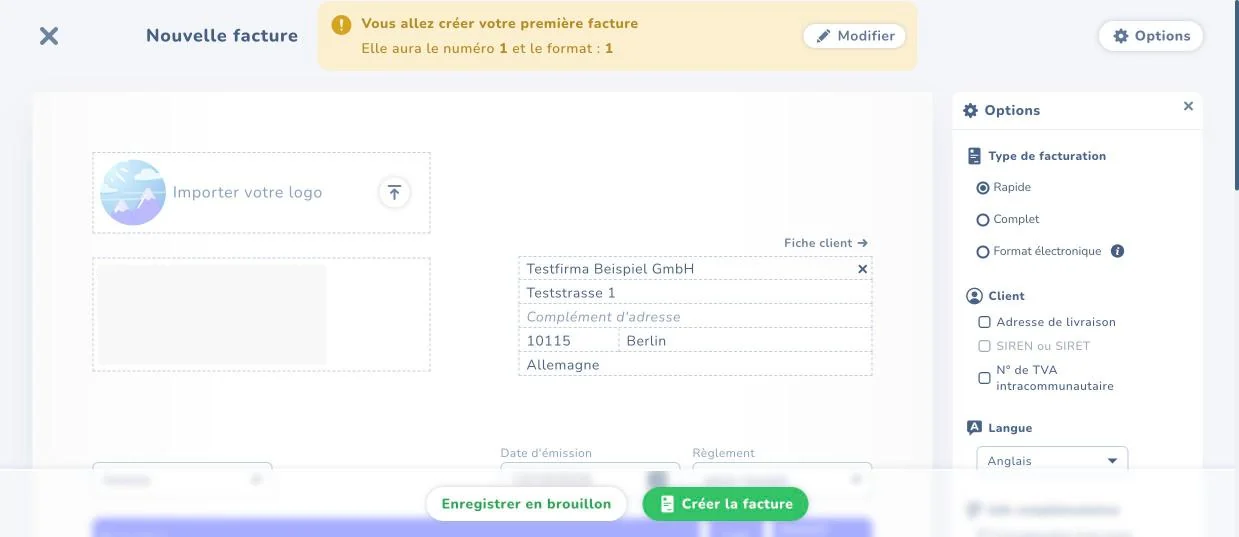
Client from Germany added to the invoice, language set to English

Choose «Professionnel» or «Particulier» and find the company by SIREN or enter the details by hand. The country list has no search, so you have to scroll.

The client’s VAT number is switched on with a separate tick box in the options («N° de TVA intracommunautaire»). Check that it shows on the finished document: in my draft the field stayed empty. Do not send an invoice to a business client in the EU until their number is on it.

7. Set VAT to 0%: the most dangerous setting
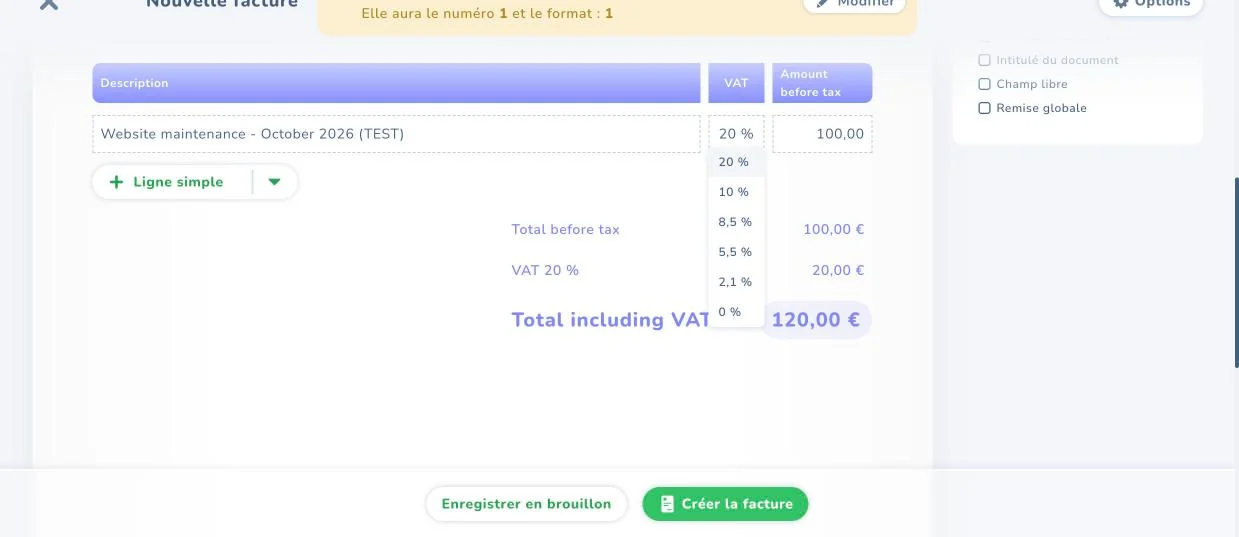
Invoice line with the default 20% rate and the list of rates

During sign-up Tiime does not ask about your VAT status, and the line is set to 20% from the start. If you are under the franchise en base (the small-business VAT exemption), it is easy to send a client an invoice with VAT you should not be charging. Set it to 0%, then make 0% the default in the settings so you do not have to check every time.

8. Give the reason
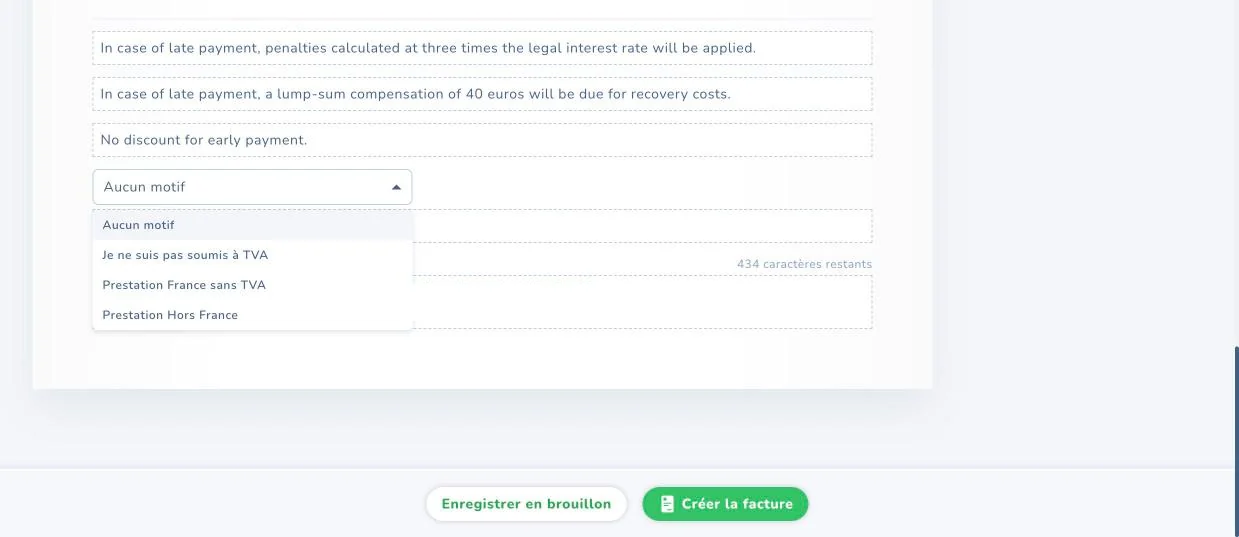
List of VAT exemption reasons

Once you set 0%, a field for the exemption reason appears. For the franchise en base, «Je ne suis pas soumis à TVA» (I am not subject to VAT) fits. I did not check which reason to choose for a foreign client: check the first invoice guide linked below.
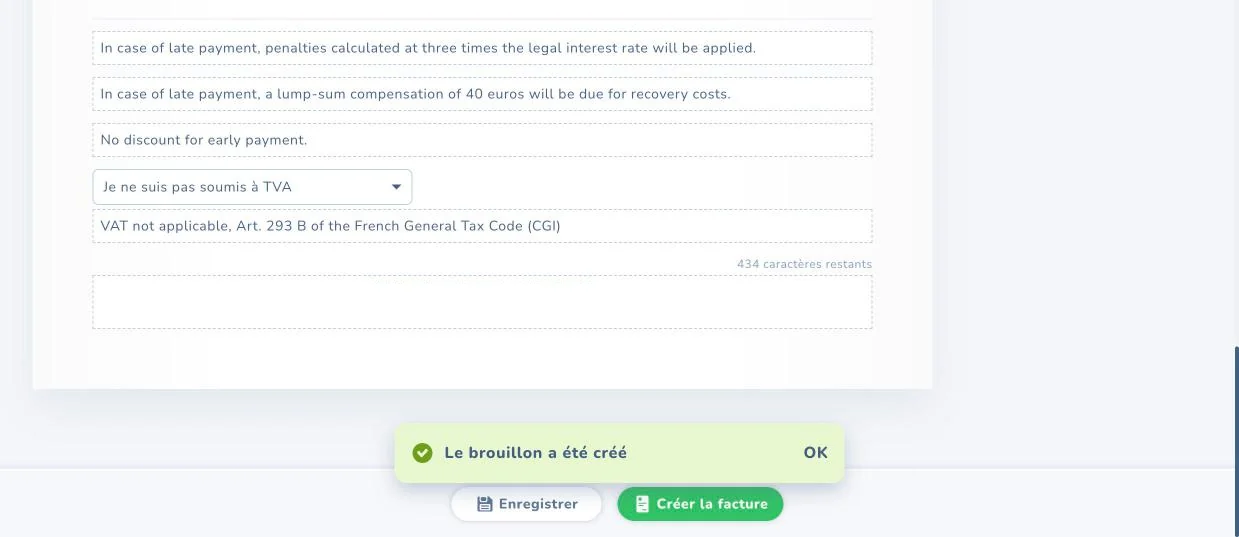
Exemption sentence under article 293 B and the saved draft

Tiime adds the article 293 B sentence in the document’s language. The footer automatically shows your SIREN, NAF code, your VAT number if you have one, and late-payment terms. Also check the name in the document header: mine appeared twice.

Business client in another EU country: you also need the «Autoliquidation» mention (reverse charge: the client accounts for the VAT in their own country), and it was not in my draft, so check and add it yourself. The list also has a «Prestation Hors France» option, but I did not test it. Check the result against our guide on your first invoice, and read about the customs declaration in the DES guide.

Income ledger and declarations

9. Fill in the register (income ledger)
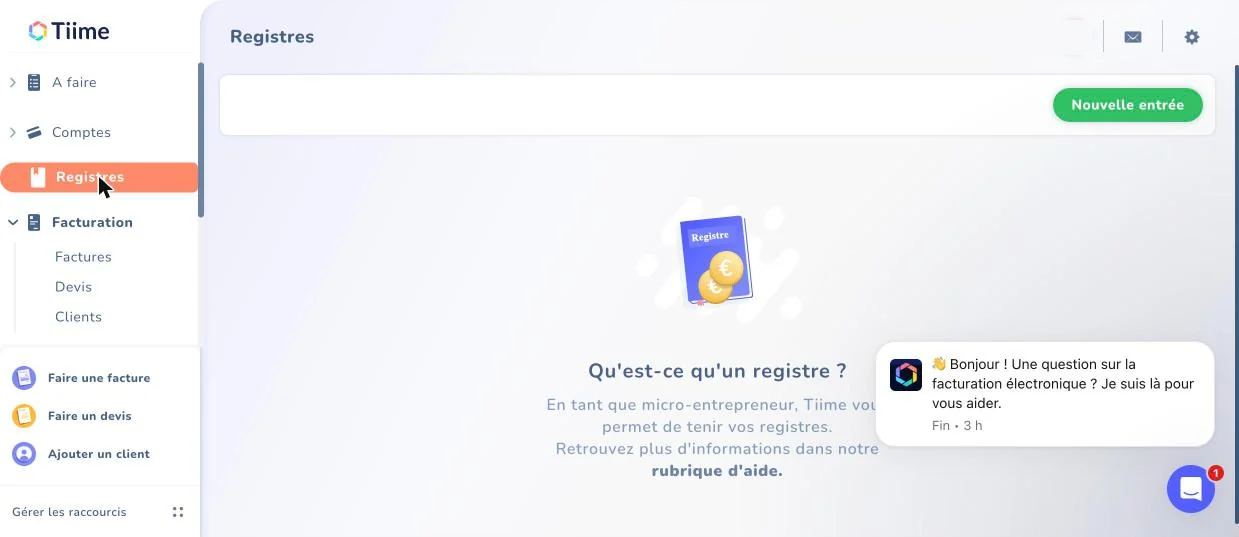
Registres section with the new entry button

Every micro-entrepreneur must keep an income ledger (livre des recettes); in Tiime this is the Registres section. On the free plan entries are manual. The «Nouvelle entrée» button instantly creates an empty line dated today, so if you click it by accident, you have to delete the line.

10. File declarations yourself

Tiime has no URSSAF declaration: the help page and the pricing page only promise it for now. So you still declare your turnover on the URSSAF website. In October I also saw a “coming soon” banner in the Registres section. The pricing page does not list a VAT return, so if you need one, you will have to file it yourself. Under the franchise en base there is usually no standard VAT return; the exceptions are in our guide on surprises.

11. Moving from another app

Only clients can be imported, from a CSV file of up to 5 MB using Tiime’s template. There is no import of invoices, the income ledger, a FEC file (the export of accounting entries for the tax office) or data from Indy. You can export the ledger to CSV and PDF. Bank history only comes in through sync, from Smart upwards. I did not check whether Wise specifically connects.

What to read in the contract

Under Tiime’s terms, version of 1 October 2026:

  • Automatic annual renewal. Articles 12.3 and 18.1: payment one year upfront. You can cancel by emailing aide@tiime.fr at least 7 days before the renewal date; the current year is not refunded. Forget, and you pay for another 12 months. Set a reminder as soon as you subscribe.
  • Your data when you leave. Article 17.4: you can export for free at any time, but when the contract ends your data is destroyed without warning. Export first, cancel second.
  • Inactivity. Article 18.3: after 12 months without activity the account may be deleted, with 30 days’ notice by email.
  • Price. Article 12.2: price rises are announced 60 days ahead, and you have 30 days to cancel.
  • Late payment. Article 12.4: immediate suspension and termination, interest at the European Central Bank rate plus 10 percentage points, and a €40 fixed recovery fee. This is noticeably milder than the penalty in Abby’s contract.
  • Disputes go to the courts within the jurisdiction of the Paris Court of Appeal (ressort de la Cour d’Appel de Paris), wherever you live.

Support is by phone, chat and email. I did not test how good it is. On 6 November Trustpilot shows 4.5 from 672 reviews, with a note that the company has not recently invited customers to leave reviews. Tiime is on the official list of platforms.

What I did not test

  • Issuing a real invoice and how e-invoicing works.
  • Paid plans, the Tiime account and bank sync.
  • How phone support works.

Try Tiime

Sign up on tiime.fr. This is a normal link, not an affiliate one.

Rules, prices and terms change. This information is correct as of 6 November 2026 and was checked against the sources linked in the text. Webinkub is not responsible for later changes or for decisions made on the basis of this article. Check the service’s website before you pay, and if your situation is unusual, talk to an expert-comptable.

Not sure which to choose?

Tell me what you do and who your clients are. I’ll help you pick the right app for your situation and check your first invoice.

Want your whole situation looked at?

Mentoring covers the whole path: from registration to reporting and choosing your tools.