Abby for micro-entrepreneurs: sign-up, first invoice and what to check in the contract
Abby is a French app for invoices, quotes (devis), the income ledger and URSSAF declarations. I signed up as micro-BNC (the micro regime for professional services) with clients outside France and went all the way to a finished invoice in English. I did not issue real invoices or connect my URSSAF account or any mandates: what I left untested is listed below.
This guide is for information only: it shows how the service works and does not replace advice from an accountant. The interface was checked on 12–13 October 2026, prices and contract on 6 November 2026. There is a referral link at the end, with its terms right next to it.
Who it suits
- A good fit if you want to file your URSSAF declaration straight from the app and keep invoices, the income ledger and your bank in one place.
- A good fit if you need invoices in another language and currency and are ready to pay for the Business plan.
- Not the best choice if all you need is free invoices in English: the free Basique plan has no foreign languages.
- Be careful if you pay from a foreign account: direct debit of URSSAF contributions through Abby does not work with a foreign IBAN or with a French IBAN from a neobank (Abby help page).
The interface is in French, and I found no language switch. Documents can be issued in seven languages, but only on the Business plan.
What it costs
Prices excluding VAT (TVA), per month, from the pricing page on 6 November 2026. The «−10 % automne» promotion brings them to €8.10 / €13.50 / €29.70, with no end date shown. A month earlier the discount was different, so check the price before you pay.
| Basique | Start | Pro | Business | |
|---|---|---|---|---|
| Price without promotion | €0 | €9 | €15 | €33 |
| Unlimited invoices and devis, income ledger, e-invoicing | yes | yes | yes | yes |
| Abby logo on documents | yes | removed | removed | removed |
| URSSAF declaration | no | yes | yes | yes |
| VAT return (as advertised, see step 12), recurring invoices, automatic reminders | no | no | yes | yes |
| Bank sync | no | no | 1 account | unlimited |
| Foreign languages and currency on documents | no | no | no | yes |
Paying yearly is said to save up to 20%. If you are under the franchise en base and do not charge VAT, you cannot reclaim the VAT on the subscription, so your real cost is 20% higher: €9 becomes €10.80.
The key point on pricing: an invoice in English or in dollars is only available on Business, which is €33 a month. The trial hides this: for the first 14 days language and currency work, and it is easy to assume they come with every plan.
Sign-up
1. Create an account
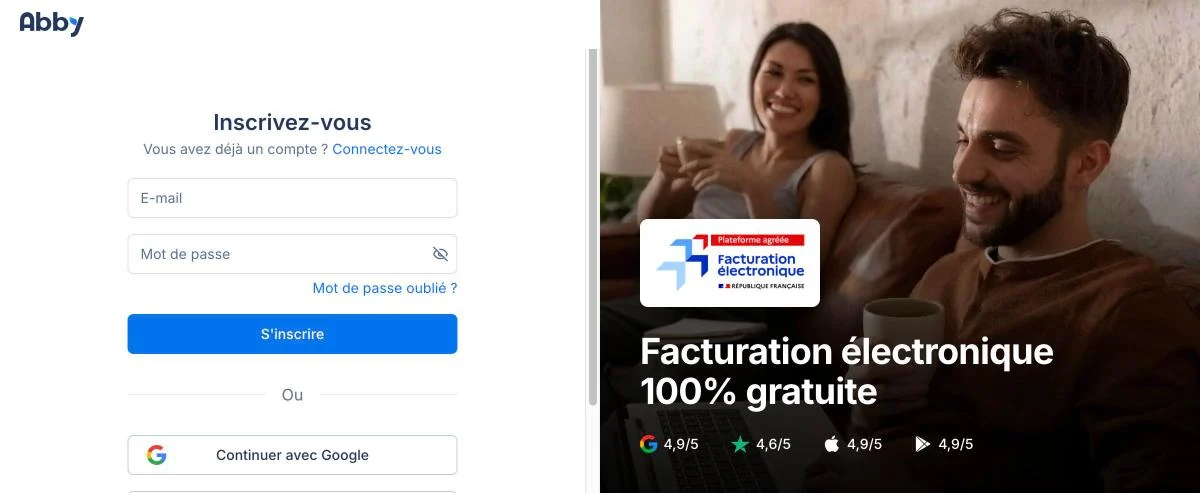
You need an email and a password, or you can sign in with Google or Apple. There is no tick box to accept the terms: according to the contract, signing up counts as acceptance. So read the contract section below before you sign up.
In October, the ratings shown on Abby’s sign-up page were higher than on the review sites themselves: for example, Trustpilot 4.6 on the page compared with 4.4 on Trustpilot itself. On 6 November Trustpilot shows 4.3 from 661 reviews.
Next, Abby asks for your first name, surname and business name. No card is needed.
2. Choose your tax regime
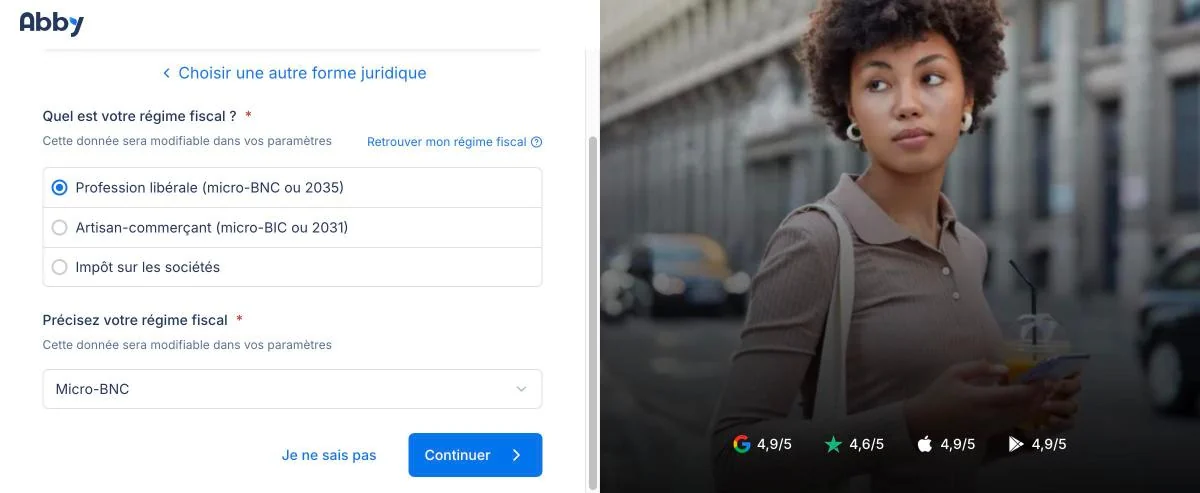
For services it is usually «Profession libérale» and «Micro-BNC»; for trade and crafts, «Artisan-commerçant» and «Micro-BIC». Not sure? Click «Je ne sais pas» and check your registration documents. You can change the regime later in the settings.
3. Activity, VAT and phone
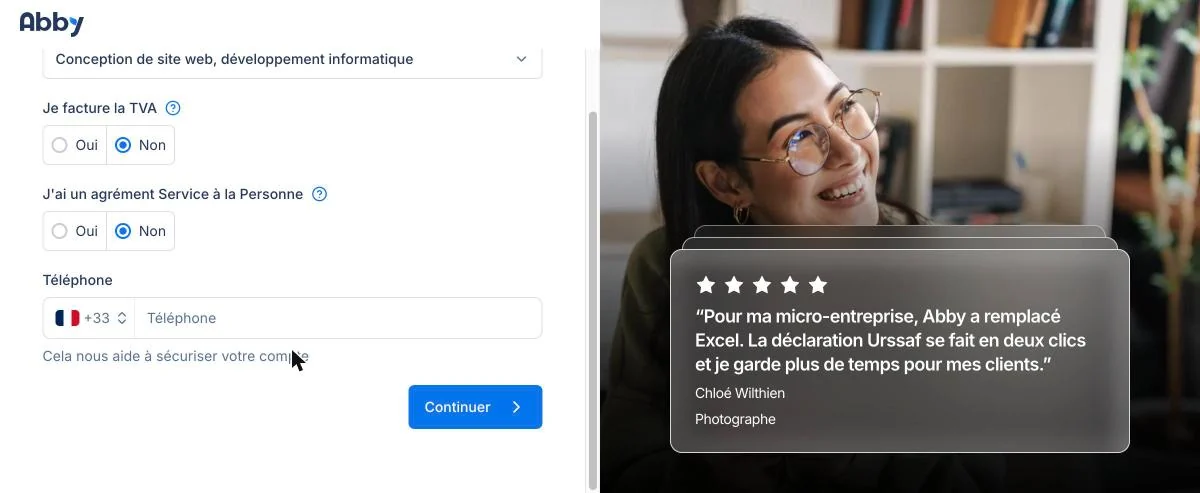
For «Je facture la TVA» (I charge VAT), answer «Non» if you are under the franchise en base (the small-business VAT exemption), meaning you do not charge VAT. The phone number is optional.
4. Business trial and the new version
A 14-day Business trial then starts. You cannot decline it, but no card is needed: the screen says the account then moves to the free plan and your data is kept. I did not check how the account behaves after the trial.
New users are switched straight to Abby v2, which includes features that are still experimental. The product moves fast, which is a plus, but bugs are possible. If something does not work properly, you can turn it off here: Paramètres → Fonctionnalités expérimentales → Abby v2.
First invoice in test mode
5. Start with test mode

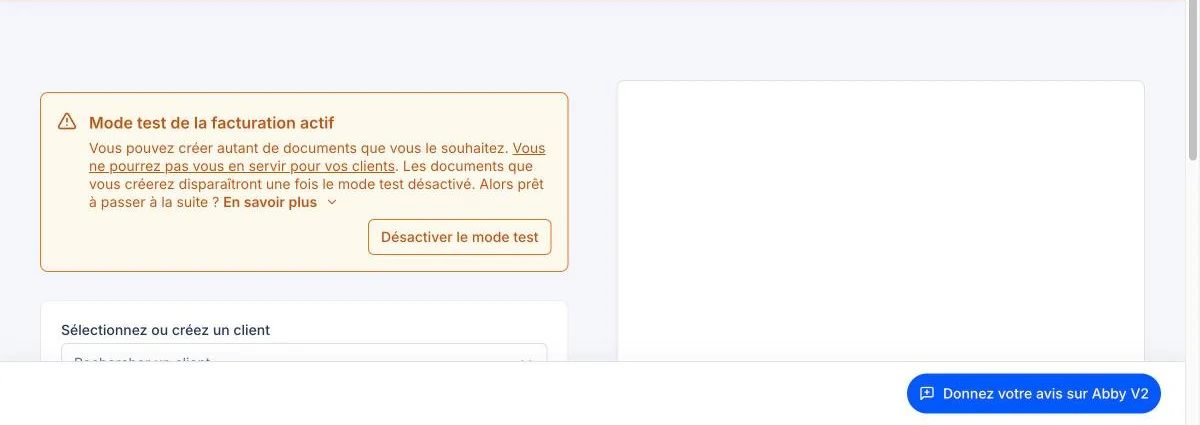
This is the best thing Abby offers a beginner. While test mode is on, you can create any documents you like: they are not sent to clients, they do not use up real invoice numbers, and everything disappears when you switch the mode off.
6. Add a client
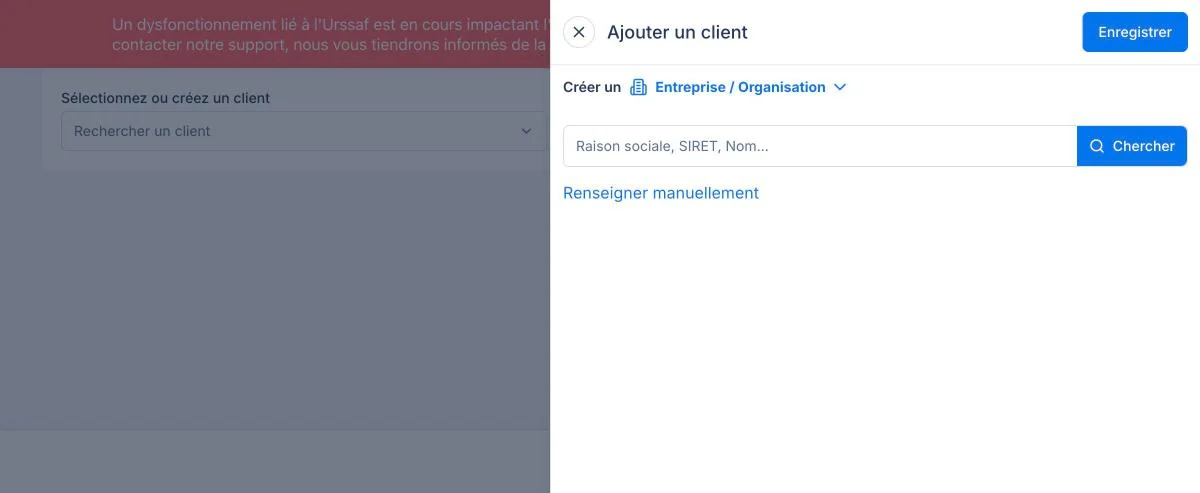
Choose an individual or «Entreprise / Organisation». A French company can be found by name or SIRET; a foreign one has to be entered by hand («Renseigner manuellement»).
In my test, Abby did not check the client’s VAT number: a made-up German number was accepted without any warning. Check it yourself in the VIES database.
7. Client language and currency
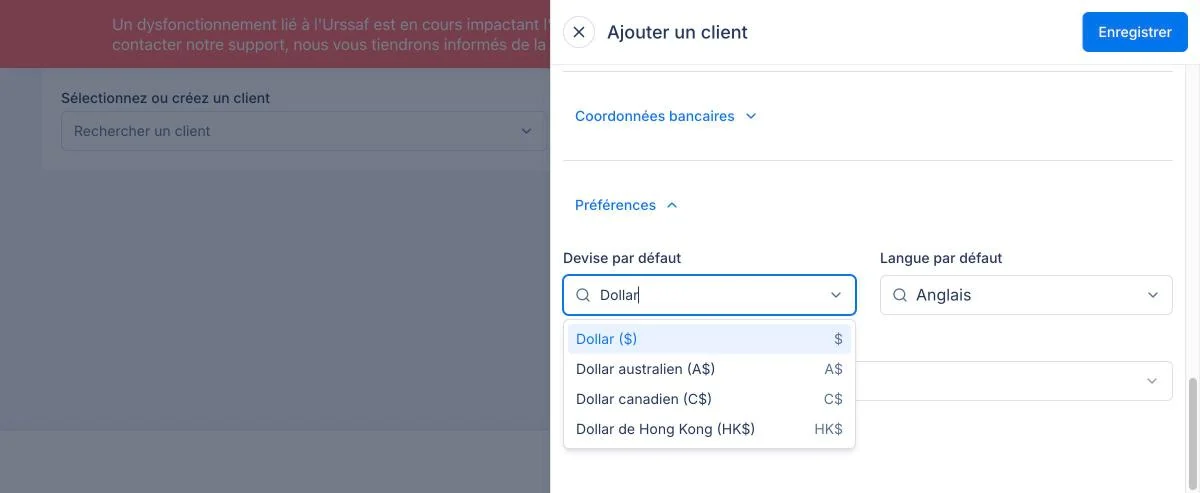
The «Préférences» section sets the currency and language for this client. This screen was taken on the Business trial: other plans do not have this option.
8. Check your own details
Look up your business by SIREN right in the invoice form. Then look at the document header: in my case the address appeared twice and my name was repeated. The repeated name seems to come from the INSEE database (the state business register), because Tiime did the same. The address was duplicated only in Abby. You can fix it in the settings.
9. Fill in the invoice line
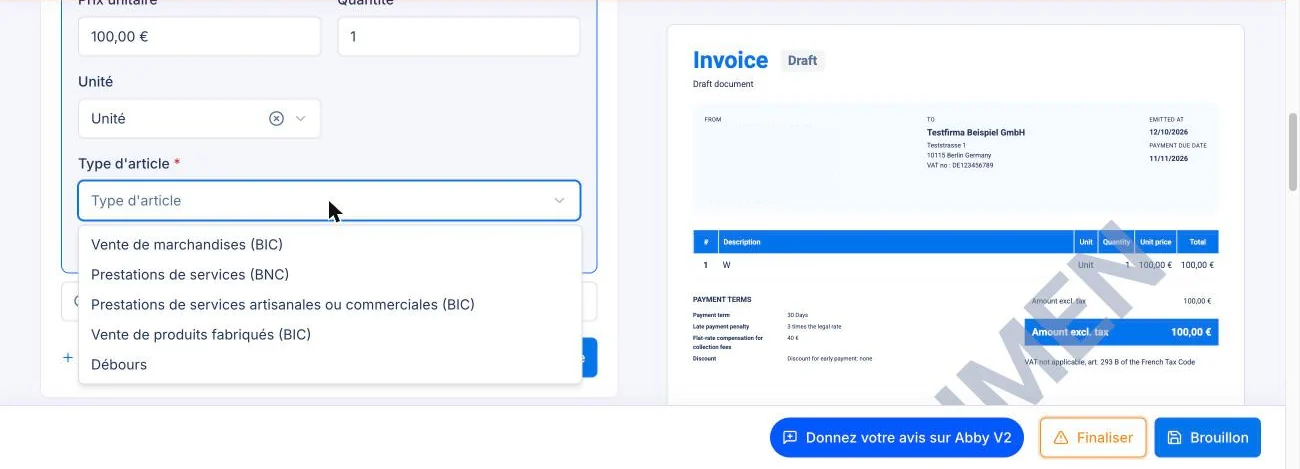
The «Type d’article» field is required, and your turnover for URSSAF is calculated from it. BNC is professional services, BIC is trade and crafts, and débours is an expense you paid on the client’s behalf and pass on at cost. Usually you pick the type that matches your regime (micro-BNC or micro-BIC).
Watch the preview on the right: when I typed quickly, only the first letter of the item name was saved in the line. A second click updated everything. It may have been a one-off glitch, but it is easy to check.
10. Check the mandatory mentions
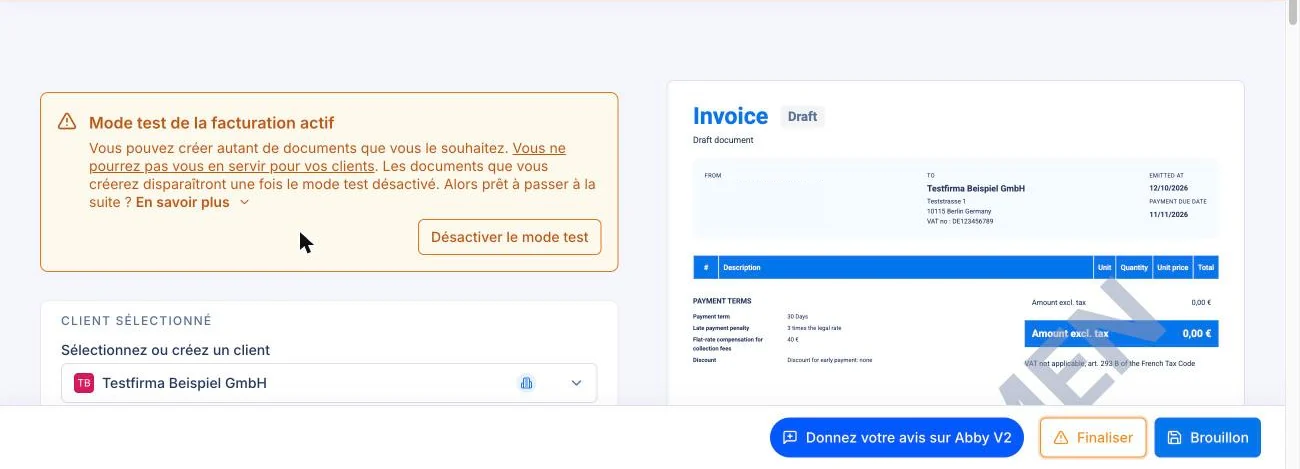
Abby added the VAT exemption sentence (art. 293 B) on its own. But for a business client in another EU country, that is not enough: you also need the «Autoliquidation» mention (reverse charge: the client accounts for the VAT in their own country) and your intra-EU VAT number. You need that number even if you do not charge VAT yourself. In my test this mention did not appear automatically, so add it yourself and check the result against our guide on your first invoice. For the customs declaration you also have to file for such clients, see the DES guide.
11. Finalise the document
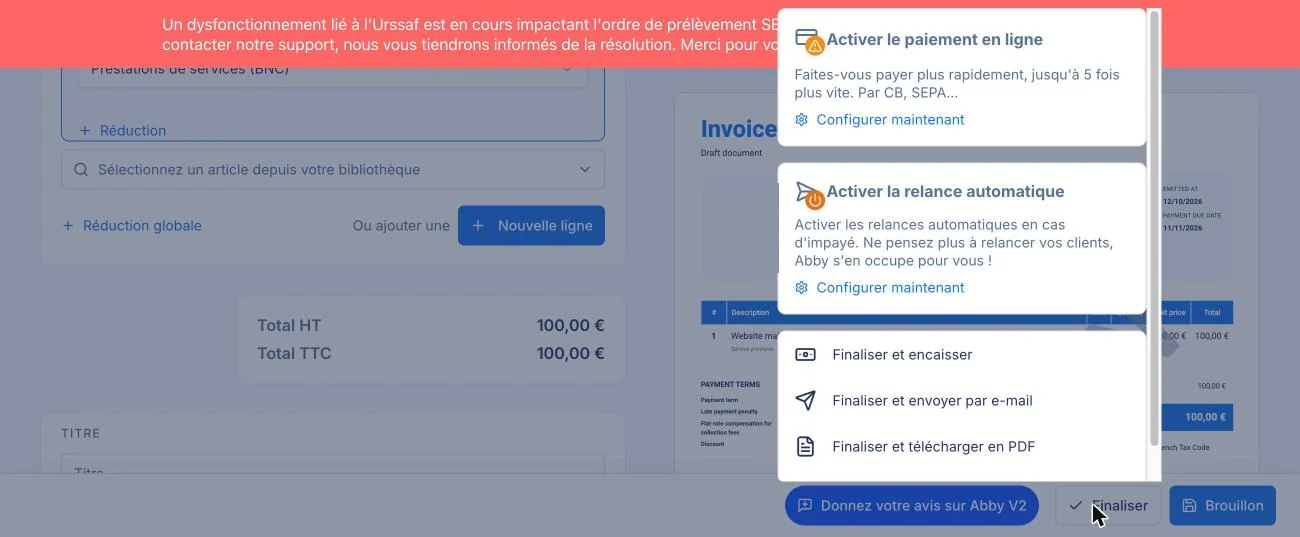
The «Finaliser» button turns a draft into a real invoice: you can then get it as a PDF, send it or take payment straight away. While you are still learning, keep the document as a draft or work in test mode. If you used another app for invoices before, carry on with its numbering: Paramètres → Facturation → Numérotation → «Compteurs de départ».
The red bar at the top of this screen warns that the URSSAF direct debit for the August declaration failed. The warning was still there in mid-October. I found no confirmation that the problem has been fixed, so if your contributions are paid by direct debit, check the status in your account on autoentrepreneur.urssaf.fr.
A devis is made in the same editor: Facturation → Devis → «Créer un devis».
Declarations and bank
12. URSSAF and VAT

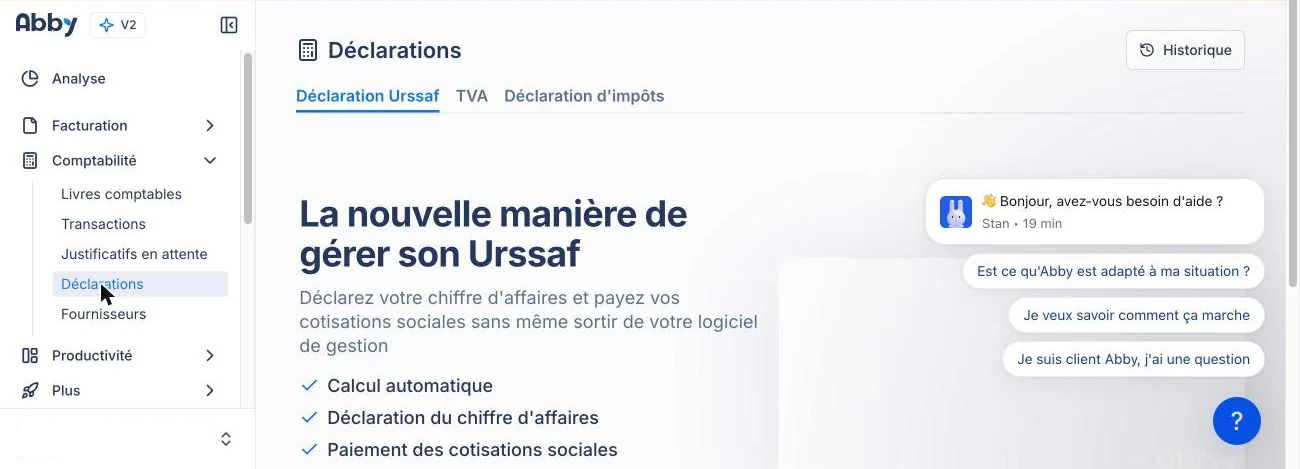
Comptabilité → Déclarations. Abby promises to calculate turnover, file the declaration and pay contributions, but for that you need to connect your URSSAF account. I did not connect it, so this describes what the screen says, not something I tested. Whether Abby files the VAT return itself or only prepares it is not clear from the interface: ask in the chat before you buy.
13. Connect your bank
The connection goes through the Bridge aggregator; Abby does not store your bank password. My Wise account was imported with its full history since the day it was opened. Automatic categorisation rules only apply to new transactions: older ones have to be categorised by hand using search.
14. Moving from another app
You can only import clients, from CSV or Excel. There is no import of invoices, accounting ledgers or FEC files (the export of accounting entries for the tax office) in the interface, and no transfer from Indy either. For the technically minded there is an API and an MCP server; the pricing page lists them from Pro upwards.
A button best left alone for now
The start screen prominently shows «Activer la facturation électronique». If you have already chosen another platform (the service your e-invoices go through), first find out which one is registered for your business. I did not click this button, so I do not know what it triggers. What is required and by when is covered in our e-invoicing news piece. Abby is on the official list of platforms.
What to read in the contract
Under Abby’s terms, version of 27 August 2026:
- Late payment: the harshest clause in the three contracts I compared. Articles 5.1.1 and 5.2: interest at three times the legal rate, a €40 fixed recovery fee and a penalty of 75% of the debt, but no less than €500 excluding VAT. Access can be blocked 8 days after a formal demand. For a €9 subscription, that is out of all proportion. Keep an eye on your payments and cancel in good time.
- Price. Indexed every 1 January to the SYNTEC index (IT and consulting), with no prior notice.
- Leaving. A CSV export is available for 30 days, but only if you request it when you cancel. So download PDFs of your invoices before cancelling, and request the export as you cancel.
- Inactivity. An account with no activity for 24 months is deleted. Documents must be kept for 10 years, so keep your own copy.
- Abby’s liability is capped at the amount paid over the last 6 months.
- Disputes go to the Paris commercial court (Tribunal de Commerce), wherever you live.
- Security. Abby claims ISO 27001 certification; article 8 says it is valid until 24 August 2028, subject to surveillance audits.
Support is by chat and email on weekdays, 9:00 to 18:00; there is no phone line. If French is not your first language, that may actually be easier: you can write with the help of a translation tool and you keep a written record.
What I did not test
- Actually filing the URSSAF declaration and VAT return, and paying contributions.
- How support works, and the «Activer la facturation électronique» button.
- How the account behaves after the Business trial ends.
- Issuing a real invoice and how e-invoicing works.
Try Abby
Sign up with my referral link. If you subscribe to Start or Pro, you get a free month with monthly billing or 10% off with yearly billing, and I get credit towards my own Abby subscription, not money. Business, which you need for invoices in English, is not mentioned in the discount terms.
Rules, prices and terms change. This information is correct as of 6 November 2026 and was checked against the sources linked in the text. Webinkub is not responsible for later changes or for decisions made on the basis of this article. Check the service’s website before you pay, and if your situation is unusual, talk to an expert-comptable.
Not sure which to choose?
Tell me what you do and who your clients are. I’ll help you pick the right app for your situation and check your first invoice.
Want your whole situation looked at?
Mentoring covers the whole path: from registration to reporting and choosing your tools.
You might also like
Indy, Abby or Tiime: which to choose as a micro-entrepreneur in France
Indy, Abby or Tiime compared as of November 2026: prices, URSSAF declarations, invoice languages and contract terms. Find out which one fits your business.
Tiime for micro-entrepreneurs: free invoices, VAT settings and the annual billing trap
Tiime for micro-entrepreneurs: free invoices in six languages, a 20% VAT rate by default, annual-only billing on paid plans and what to read in the contract.
Your first invoice as a micro-entrepreneur: the 12 mandatory details, with a template
How to issue your first invoice as a micro-entrepreneur in France: 12 mandatory lines on a template, payment terms, EU clients, corrections and fines.